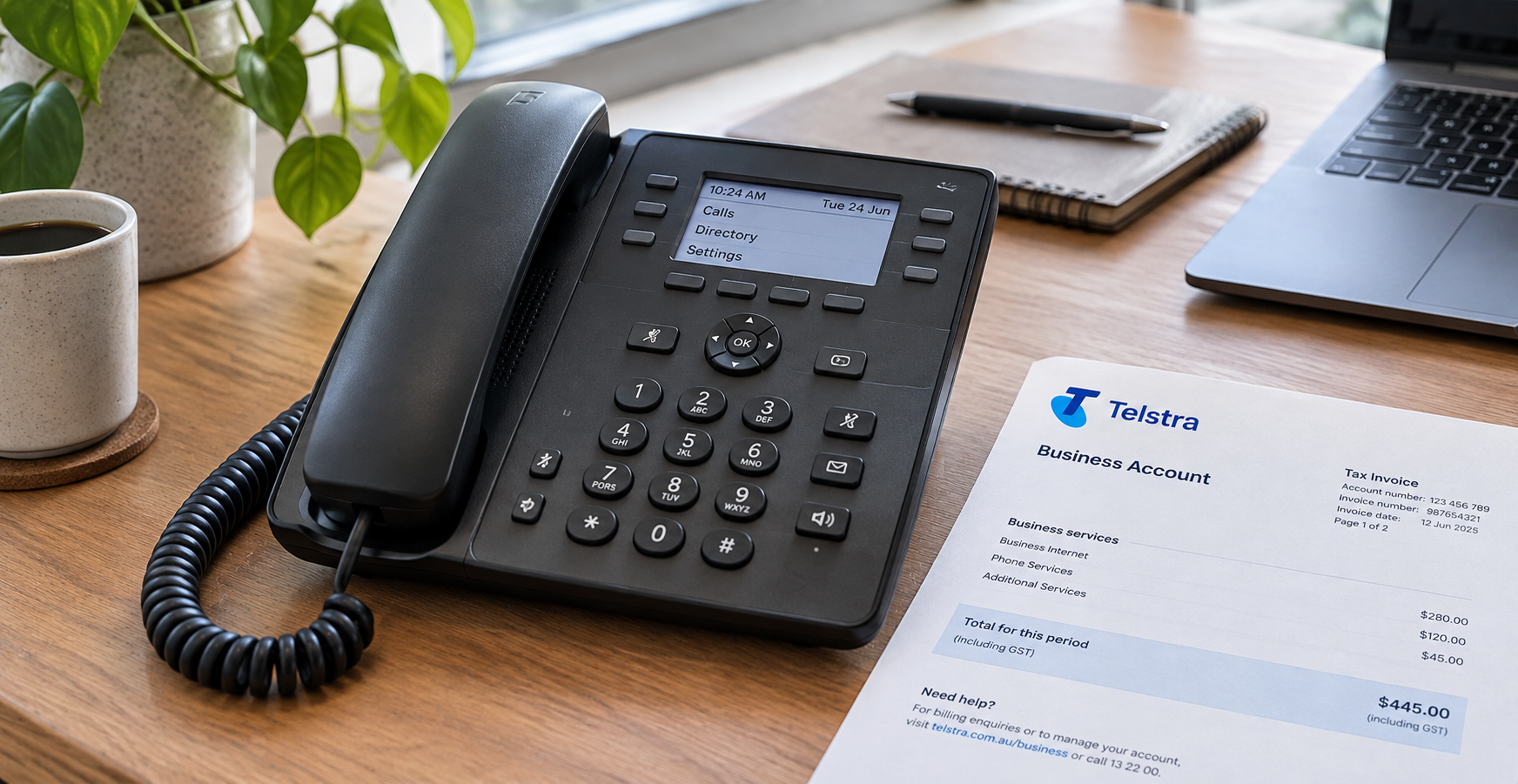
If you’ve received a letter or email from Telstra about your business phone service, you’re probably wondering what happens next. Telstra is retiring several business communications services, and depending on what your business uses, you may need to move to another provider or phone system.
If you’re using Telstra Calling for Office 365 (TCO365), the service is due to retire on 30 November 2026. If you’re using Telstra Business Internet (DOT) or T-Biz Voice on the nbn™, the retirement date is 30 August 2027.
These dates are based on Telstra’s published service information. You can check the details for TCO365, DOT and T-Biz Voice and Telstra Business SIP.
Telstra Business SIP is already closed to new customers, although existing customers can continue using the service until further notice.
The good news is that moving away from a Telstra service doesn’t necessarily mean replacing your entire phone system. Depending on your setup, you may be able to keep your existing equipment, move to another SIP provider or transition to a cloud phone system or Microsoft Teams Phone.
Here’s what the changes mean for your business and what you can do now.
Which Telstra Services Are Changing?
Telstra has announced changes affecting three business communications services:
- Telstra Business SIP: View Telstra Business SIP service information
- DOT and T-Biz Voice: View Telstra’s DOT and T-Biz Voice changes
- Calling for Office 365: View Telstra Calling for Office 365 information
Telstra Business SIP
Telstra Business SIP stopped accepting new customers on 30 May 2025.
Existing customers can continue using the service until further notice. Telstra has not announced a retirement date for existing Business SIP customers.
If your business uses Business SIP to connect an existing phone system, it’s worth understanding your options. Depending on your equipment and configuration, you may be able to keep your current PBX and move to another SIP provider rather than replace the entire system.
DOT and T-Biz Voice on the nbn™
Telstra Business Internet (DOT) and T-Biz Voice on the nbn™ are separate services, but they share the same retirement timeline.
Both reached end-of-sale on 30 September 2025 and are scheduled to retire on 30 August 2027.
Existing customers can continue using these services until the retirement date, although changes, moves and recontracting are no longer available.
If your business relies on these services for internet or business calling, start looking at your options well before the deadline. This is particularly important if you have multiple sites, integrated systems or a large number of phone users.
Telstra Calling for Office 365 (TCO365)
Telstra Calling for Office 365 (TCO365) stopped accepting new customers on 1 November 2024 and is scheduled to retire on 30 November 2026.
Since 30 August 2026, customers have been unable to add services, make changes or recontract.
If your business is still using TCO365, migration planning should be a priority. This is especially relevant if Microsoft Teams is already part of your communications setup.
Telstra Business Voice Changes: Key Dates
Telstra Business SIP:
- Key date: Closed to new customers 30 May 2025
- Retirement: Existing customers continue until further notice
DOT
- Key date: End of sale 30 September 2025
- Retirement: 30 August 2027
T-Biz Voice on the nbn™
- Key date: End of sale 30 September 2025
- Retirement: 30 August 2027
TCO365
- Key date: Closed to new customers 1 November 2024
- Retirement: 30 November 2026
These dates are based on Telstra’s published service information. Check any notices you’ve received from Telstra and your current service agreements, as the changes and conditions may vary depending on your service.
Why Is Telstra Retiring These Services?
According to Telstra, DOT and T-Biz Voice on the nbn™ are being retired due to hardware limitations.
Telstra says the changes are intended to support innovation, improve security, align with industry standards and enable more modern communications solutions.
Whatever the reason, the practical takeaway is the same: if your business uses one of these services, it’s worth understanding your options before the retirement date gets too close.
A phone system isn’t something most businesses can switch over overnight. You’ll want time to check compatibility, compare options and plan the change around your operations.
How Do I Know If My Business Is Affected?
You may need to review your services if:
- Your Telstra invoice mentions Business SIP, DOT, T-Biz Voice or TCO365.
- Your business phone system uses Telstra Business SIP.
- Your internet or voice services are delivered through DOT.
- You use T-Biz Voice on the nbn™.
- Your business uses TCO365 for Microsoft Teams calling.
- You’ve received a retirement or migration notice from Telstra.
Not sure which service you’re on?
Start by checking your Telstra invoice or contacting your provider. If you have multiple sites or different services across your business, check each connection rather than assuming they’re all on the same service.
What Should You Do Now?
You don’t necessarily need to replace your phone system straight away. The first step is to understand what you have and what your business needs going forward.
1. Understand What You’ve Got Today
Make a list of your current phone and internet services, including:
- Your phone system or PBX
- Business phone numbers and number ranges
- SIP and internet services
- Handsets and other equipment
- Contact centre platforms and call queues
- CRM and other business integrations
- Your different office and site locations
Having a clear picture of your setup makes it easier to compare options and avoid replacing equipment unnecessarily.
2. Look at Your Options
For some businesses, keeping the existing phone system and changing the underlying service may be all that’s needed.
Others may decide it’s a good opportunity to move to a cloud phone system or Microsoft Teams Phone.
The right solution depends on how your people work, the features you rely on and what your business needs from its phone system.
3. Check What Can Be Reused
Before budgeting for a complete replacement, check whether your existing PBX, handsets, gateways and integrations will work with the replacement service.
Compatibility will depend on your equipment and the provider or platform you choose.
4. Plan the Migration
Allow time for number porting, configuration, testing and cutover.
If you have multiple sites, complex call routing or a contact centre, you may need a staged migration to keep your business operating during the change.
5. Consider Costs and Training
Look beyond the monthly service price. Consider implementation costs, licensing, equipment, training and any changes to the way your staff handle calls.
Getting these details sorted early will make budgeting and planning easier.
What Are Your Options?
There’s no one-size-fits-all replacement for a business phone system. Here are three common paths to consider.
Option 1: Keep Your Existing Phone System
If you already have a suitable PBX, you may be able to retain it and move to a compatible SIP provider.
This may allow your business to:
- Keep compatible handsets and equipment.
- Maintain familiar call flows and features.
- Reduce disruption and user retraining.
- Avoid replacing equipment that still meets your needs.
Whether this is possible depends on your existing PBX, its configuration and the replacement service.
For businesses with established phone systems, it’s worth checking compatibility before committing to a full replacement.
Option 2: Move to a Cloud Phone System
A cloud phone system may suit businesses looking for more flexibility, particularly where staff work across different offices or remotely.
Depending on the platform, features can include:
- Desktop and mobile calling apps.
- Centralised call routing.
- Auto attendants and call queues.
- Reporting and analytics.
- Business application integrations.
Cloud systems can also support businesses with multiple locations without requiring the same phone infrastructure at every site.
Before making the move, consider your internet connections, call requirements, integrations and the features your staff rely on today.
Option 3: Move to Microsoft Teams Phone
If your business already uses Microsoft Teams, Teams Phone may be worth considering as part of your migration.
Teams Phone adds business calling to the Teams environment, bringing calling, meetings and collaboration together in one platform.
Before proceeding, check licensing requirements, call routing, number porting, contact centre needs and third-party integrations.
It’s important to remember that using Microsoft Teams for meetings and messaging doesn’t automatically mean your business is set up for Teams Phone. The calling component needs to be configured and licensed appropriately.
What If You Have Multiple Sites or a Contact Centre?
Larger businesses, multi-site organisations and contact centres often have more to consider than a standard office phone setup.
You may need to account for:
- Call routing between sites and departments.
- Business continuity and failover arrangements.
- CRM and other business system integrations.
- Call recording and reporting platforms.
- Inbound numbers and number ranges.
- Remote and hybrid workers.
- Contact centre queues and customer service workflows.
In these environments, a staged migration may be more suitable than switching everything over at once.
The important thing is to identify how calls move through your business before deciding on a replacement. A new phone system should support the way your business operates, not create unnecessary changes to established processes.
Can You Keep Your Existing Business Phone Numbers?
In many cases, yes.
Australian business phone numbers can often be retained when moving between eligible providers through number porting. This is subject to numbering requirements, service eligibility and the new provider accepting the transfer.
The process can take longer where there are large number ranges, multiple locations or complex carrier arrangements.
Before starting a migration:
- Identify all active business numbers and number ranges.
- Confirm which numbers can be ported.
- Allow time for testing and coordination between providers.
- Don’t cancel your existing service until the porting process has been completed successfully.
Keeping your existing numbers can help your business maintain continuity with customers, suppliers and staff.
Questions to Ask Before Choosing a New Provider and Why It Matters
Before committing to a new phone service, make sure you understand what’s included and how the migration will work.
- Can we keep our existing business numbers? Helps protect established contact numbers.
- Can we retain our existing PBX and handsets? May avoid unnecessary equipment replacement.
- How long will the migration take? Helps with scheduling and business continuity.
- Who manages the installation, testing and cutover? Clarifies responsibilities during the change.
- Is support provided locally in Australia? Helps set expectations around ongoing support.
- Are there minimum terms or contract commitments? Makes costs and obligations clearer.
- Will the system work with Teams, our CRM or contact centre? Helps preserve important integrations.
- How are faults and outages handled? Clarifies escalation and continuity arrangements.
- What training and onboarding are provided? Helps staff get comfortable with the new system.
Getting clear answers before you sign up will help you understand what you’re committing to and whether the solution suits your business.
Common Mistakes to Avoid
Leaving It Until the Last Minute
The retirement dates may seem a long way off, but larger phone systems can take months to assess, test and migrate. Starting early gives you more flexibility around timing and helps avoid rushing important decisions.
Assuming You Need to Replace Everything
Moving away from a Telstra service doesn’t automatically mean you need a new PBX, handsets and phone numbers. Check what can be retained before committing to a full replacement.
Focusing Only on Price
Monthly costs matter, but so do reliability, compatibility, support, security and the experience of your staff and customers. Make sure you’re comparing solutions that meet your actual business requirements.
Overlooking Integrations
Phone systems often connect with CRM platforms, contact centres, call recording systems and other business applications. Identify these dependencies early so you don’t lose important functionality during the migration.
Choosing a Solution That Doesn’t Fit Your Business
A phone system that works for a single office may not suit a business with multiple sites, complex call routing or a contact centre. Consider how your business operates today and what you’ll need as it grows or changes.
How Prosum Can Help
Moving away from a Telstra service doesn’t necessarily mean replacing your entire phone system.
Depending on your existing setup, Prosum can help you work out whether you can keep your current equipment, move to another SIP provider or transition to a cloud phone system or Microsoft Teams Phone.
We can assist with:
- SIP migration while retaining a compatible existing PBX.
- Cloud phone systems, including NEC UNIVERGE BLUE, Cisco Webex and UCXpress.
- Microsoft Teams calling solutions.
- Business number porting and call routing.
- Multi-site phone systems and contact centre deployments.
- Compatibility checks, integrations, and migration requirements.
We’re an Australian-owned business communications and technology company with local Melbourne-based support and experience working with business phone systems and complex communications environments.
Our approach is to understand what you’re using now, how your business operates and what you actually need before recommending a way forward.
That way, you can make an informed decision about your next phone system without assuming everything needs to be replaced.
Need Help Understanding Your Options?
If your business uses Telstra Business SIP, DOT, T-Biz Voice on the nbn™ or TCO365, now is a good time to check your current setup and understand what the changes mean for you.
Talk to Prosum about your existing phone system, the relevant retirement dates and the options available for your business.
Call 1800 007 229 or visit prosum.com.au to speak with our team.
Next Steps
Start by confirming which Telstra services your business uses and checking the relevant retirement dates.
Then take stock of your phone system, business numbers, equipment and integrations so you can work out what needs to change and what may be able to stay.
With the right planning, you can work towards minimising disruption, retaining important business numbers where eligible and moving to a communications solution that supports the way your business operates.